See Yourself In The Best Light
With a color rendering index of 95, our Tru-Lux system simulates sunlight so that you see makeup pigments accurately.
With a color rendering index of 95, our Tru-Lux system simulates sunlight so that you see makeup pigments accurately.
Patterned micro-reflectors spread light evenly, without hot spots, while the surgical-grade LEDs deliver the full color spectrum.
Easily adjust your lighting with a 100–800 lux range, offering precise brightness control for any task.
Preview your look in full sunlight or authentic candlelight, giving you confidence that you look flawless in any environment.
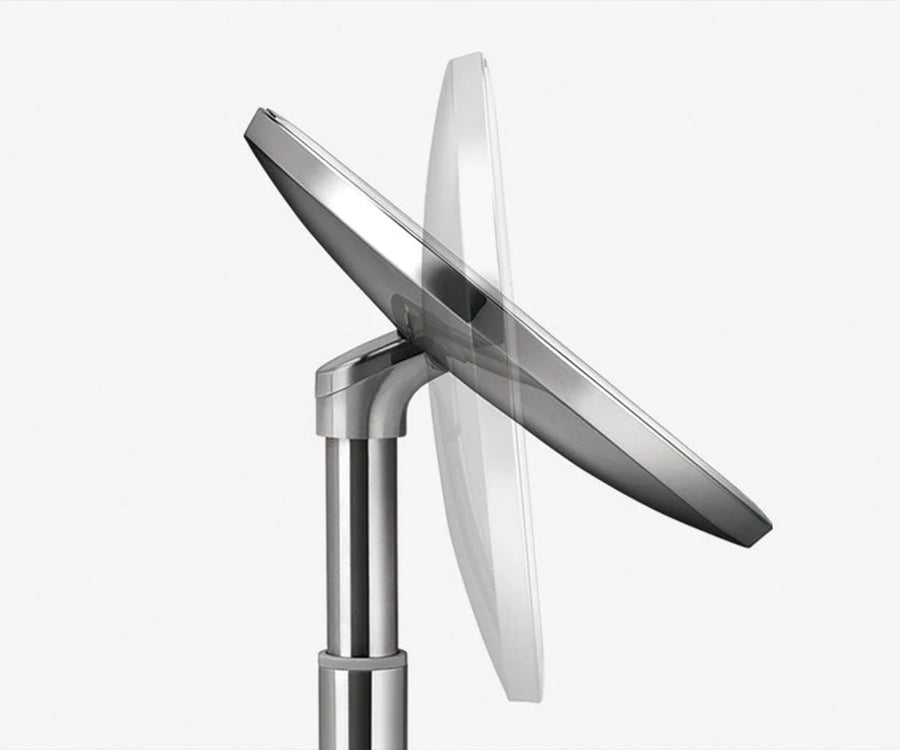
All our sensor mirrors are designed for maximum adjustability. The mirror tilts back fully so you always have a clear, comfortable view.
With a color rendering index of 95, our Tru-Lux system simulates sunlight so that you see makeup pigments accurately.
Patterned micro-reflectors spread light evenly, without hot spots, while the surgical-grade LEDs deliver the full color spectrum.
Easily adjust your lighting with a 100–800 lux range, offering precise brightness control for any task.
Preview your look in full sunlight or authentic candlelight, giving you confidence that you look flawless in any environment.
All our sensor mirrors are designed for maximum adjustability. The mirror tilts back fully so you always have a clear, comfortable view.
First try this:
If that doesn't work, reset your unit: Press the power button on the bottom or the back of the unit (depending on the model) to turn it off. Leave it off for 20 seconds, and then press the power button again to turn the unit on.
Reset the mirror:
Test the sensor:
Recharge the mirror:
First try this:
If that doesn't work, reset your unit: Press the power button on the bottom or the back of the unit (depending on the model) to turn it off. Leave it off for 20 seconds, and then press the power button again to turn the unit on.
First, make sure the mirror isn't tilted at an angle that is out of the sensor range. You must be within 6-8 inches in front of the sensor (dark-tinted window on the light ring). After a short period of inactivity, light will dim and turn off automatically. If that doesn't work, recalibrate your mirror:
Don't know your liner code? Not a problem! Locate your liner ID tag under every trash can lid.